
I may earn commission if you use my affiliate links to purchase products: More details.
Paid partnership with Bluehost. I earn a commission through my affiliate links.
When I started my blogging career in the early 2010s, there weren’t many managed WordPress hosting providers offering reliable services. Still, Bluehost is one of the first and oldest providers to be recommended by WordPress.org.
In those days, creating a website was not as easy as it is today. You had to find a suitable theme that matched your needs or find a designer who would build a website from scratch, which was indeed expensive.
But today’s Artificial Intelligence (AI) has changed everything. Now anyone who can read and write can design and publish a unique website or an App in minutes. Gone are the days when you had to wait weeks or even months to launch a simple, functional website.
Bluehost was founded in 2003 as an independent web hosting company, but it started offering a lot of other features. They recently launched Bluehost AI Builder (aff. link), which you can use to build websites just by describing your needs. That too, for free!
Why Create a Landing Page Website for Your Book?
There are a few good reasons to create a single landing page website for your book:
Pre-orders and promotional campaigns
A landing page website helps readers learn more about the book and place pre-orders before the launch date.
A one-page website will also help you promote your book on social media networks without distractions.
Own platform
Unlike third-party platforms, a landing page website is like your own space; you have full editorial power and control over what you design or publish.
Call-to-Action
A landing page can help you improve conversion rates with a call-to-action message or button. You can guide visitors to the Amazon store or anywhere else.
You can also collect readers’ emails by offering a summary or a sneak peek of your book by setting up a lead generation funnel.
Reasons to use Bluehost
While there are thousands of new AI builders on the market, not every product is good; In fact, most of them are created by a single person managing everything.
What novices don’t realize is that you also need a space on the web to host your website files. Most new website builders might lack the infrastructure required to host websites over the long term.
Bluehost has been serving the web hosting industry for the last 23 years. Along with traditional hosting services, they also offer AI Agent hosting, all-in-one AI models, an AI store, and AI builder, etc.
With Bluehost AI Builder (aff. link), you can create your website for free without requiring a credit card.
How to create a Book Landing Page using the Bluehost AI Builder
Recently, I started exploring Amazon Kindle Direct Publishing (KDP) and published a couple of simple Journals just to test it out.
So, in this example, I’ll be creating a Landing Page for my journal.
Let’s get started:
First, visit the Bluehost AI Builder (aff. link) page.
Describe the Website or App you need
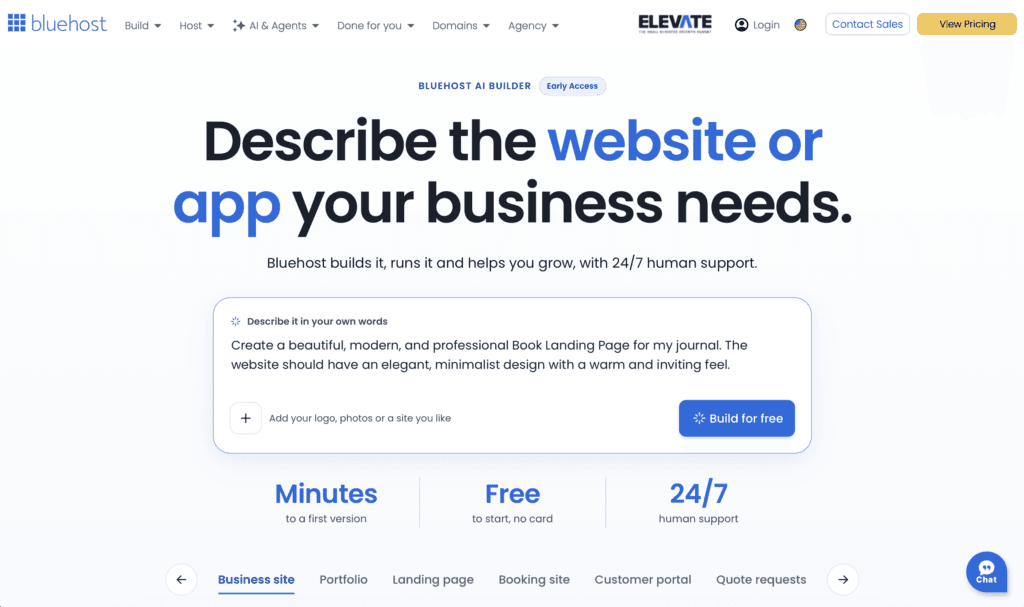
You will see the above page, where you describe what you want to create. Here, I’m using the prompt shown in the screenshot to create my book landing page using Bluehost AI Builder.
Upload Logos, Photos & Files
You can also upload your logo and photos
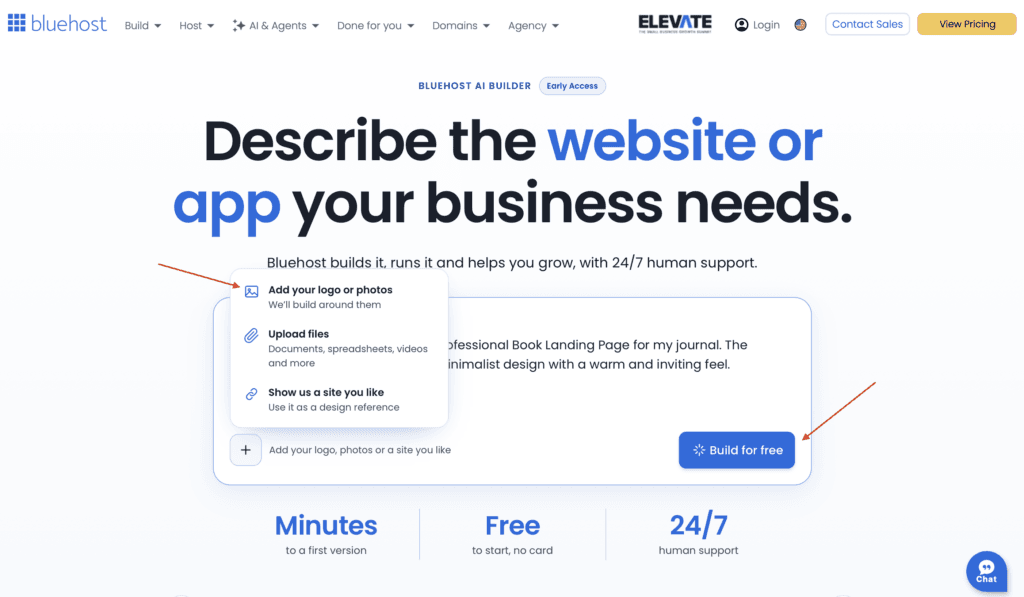
Bluehost AI Builder: upload logo, photos, or files. You could also put the URL of a popular website or the landing page you like to design a similar site.
In this example, I’m only uploading the cover image of my journal to let Bluehost AI build everything from scratch, but you could choose anything you want.
Once you’re done uploading logos, photos, or files, click the Build for free button.
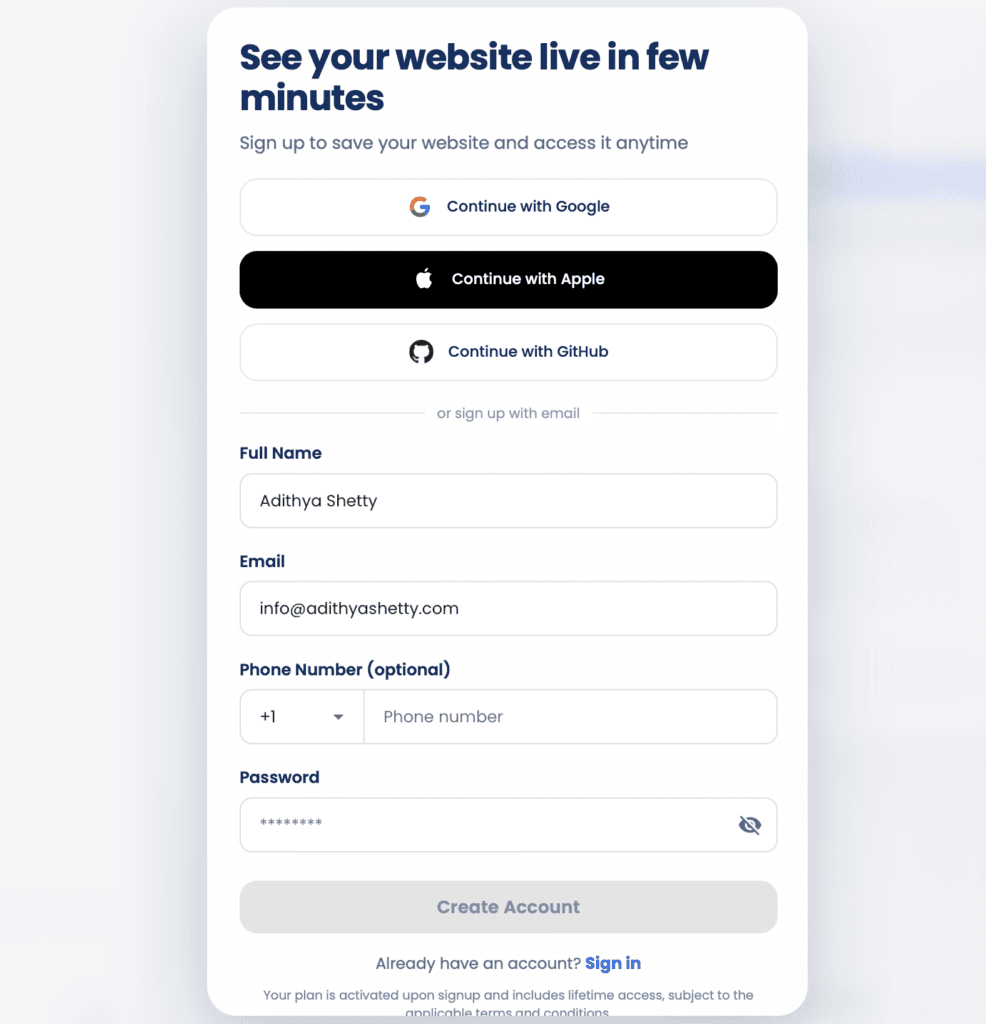
A new page will open up; here you should fill in the necessary details like name, email, phone number, etc. You could also sign up using your Google, Apple, or GitHub profile as well.
Let Bluehost AI do its job
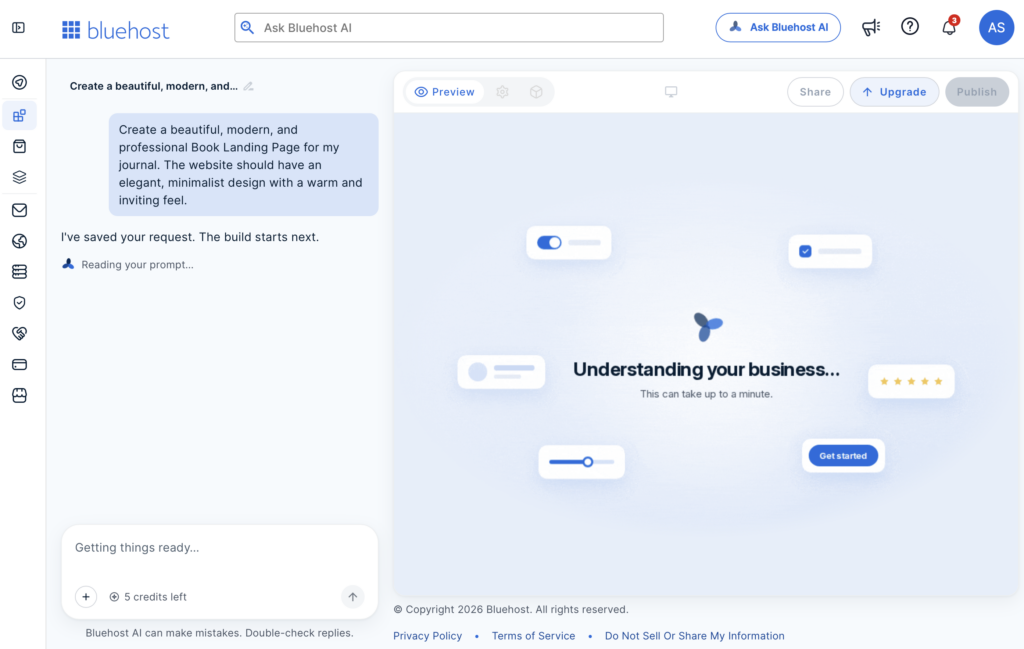
Once you have created your account, Bluehost AI Builder will start the process of understanding your business; don’t close the tab, just wait for a couple of minutes.
Analyse the recommendation
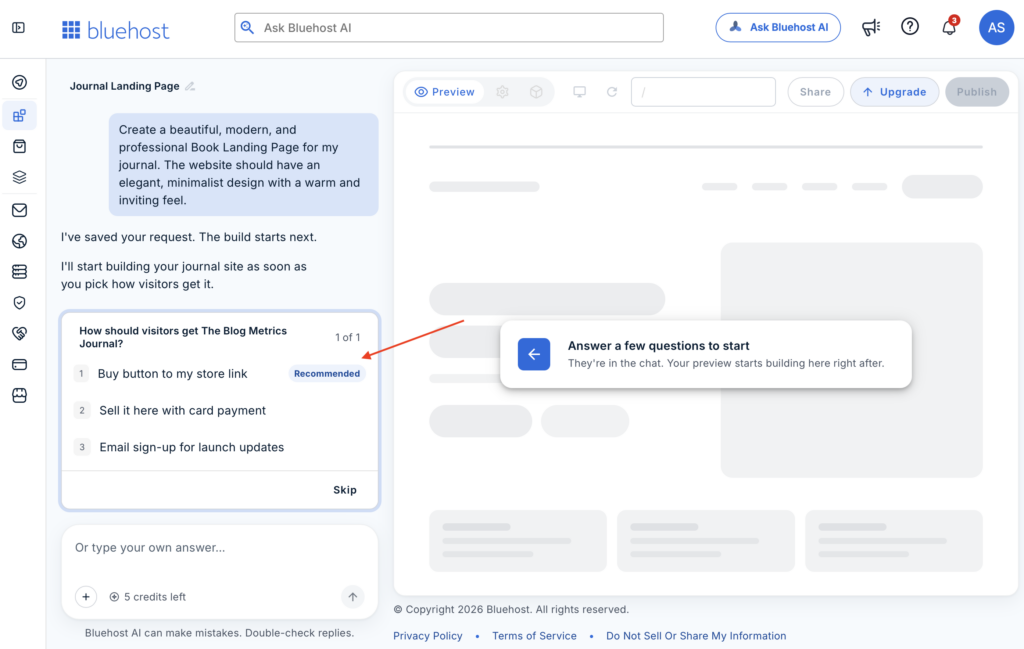
During the process, Bluehost will ask questions and suggest recommendations. You could add the recommended features or skip. In this example, I chose the AI-recommended option to add a button.
Your Book Landing Page website draft is ready
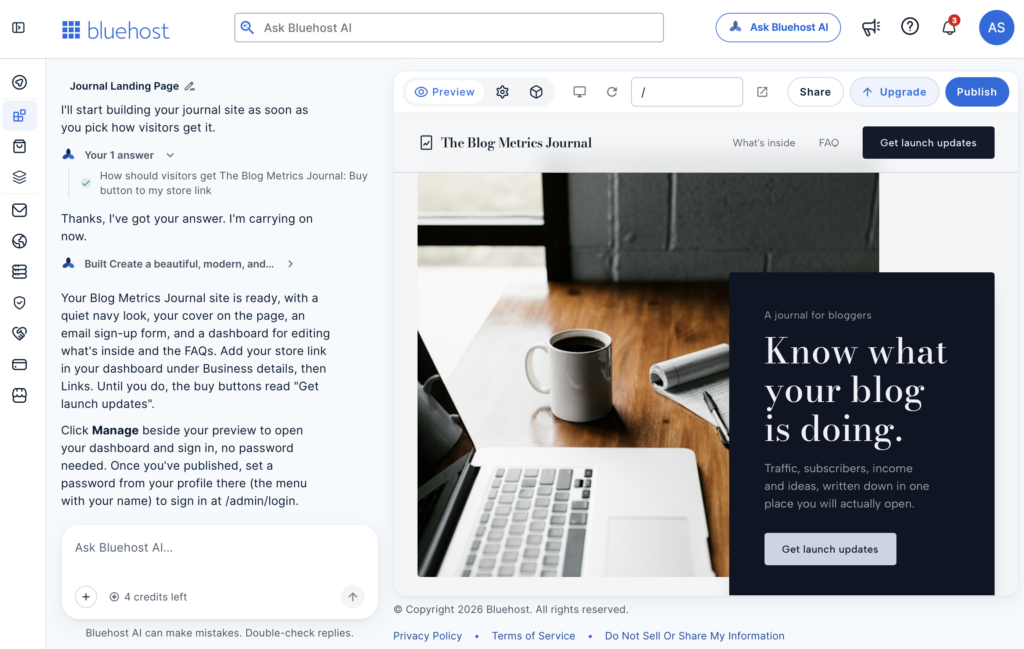
Bluehost AI Builder automatically added a few images with a slider, a newsletter form, and created an elegant-looking page with a logo.
Changing the Button Text
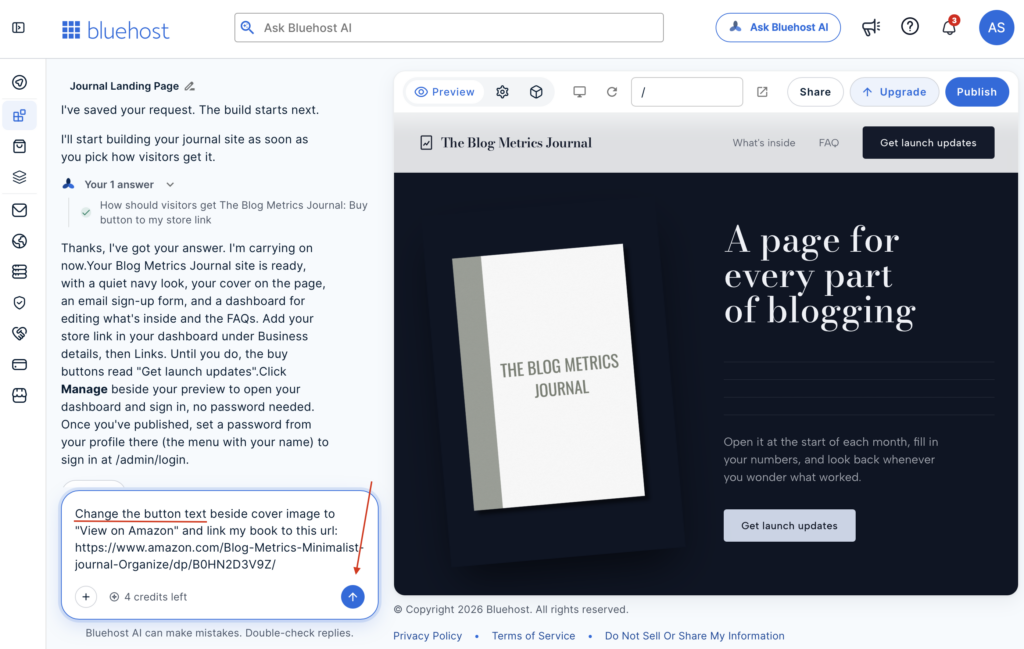
Now, to show you how easy it is to change the button text with Bluehost AI Builder, I’m going to type this message to the AI and hit enter as shown in the screenshot.
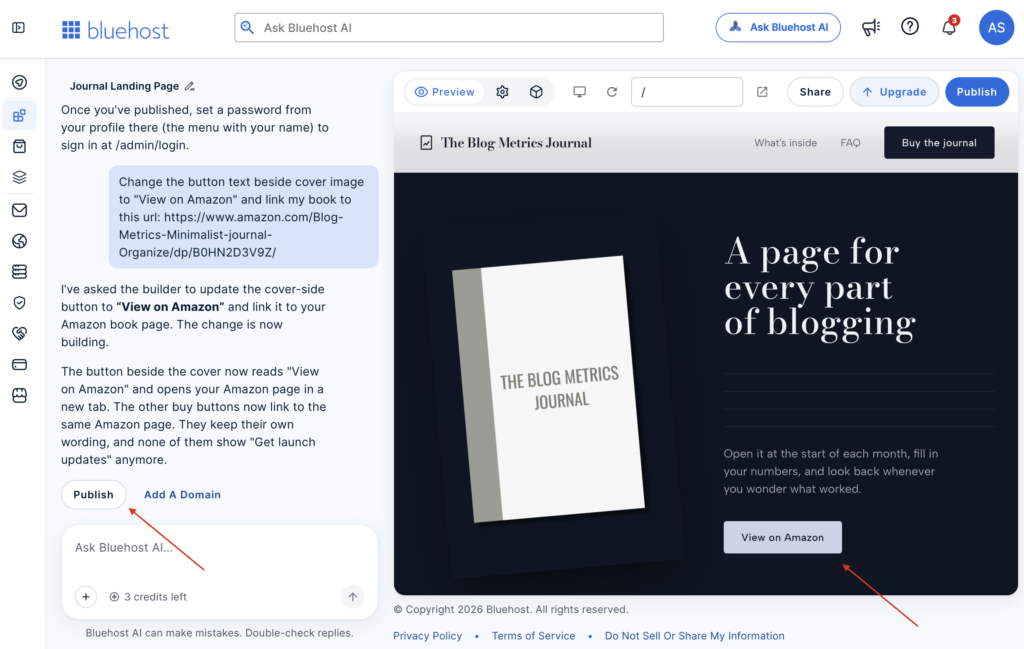
That’s it! Bluehost AI not only changed the text but also added the link I provided within seconds.
Connect your Domain (Optional)
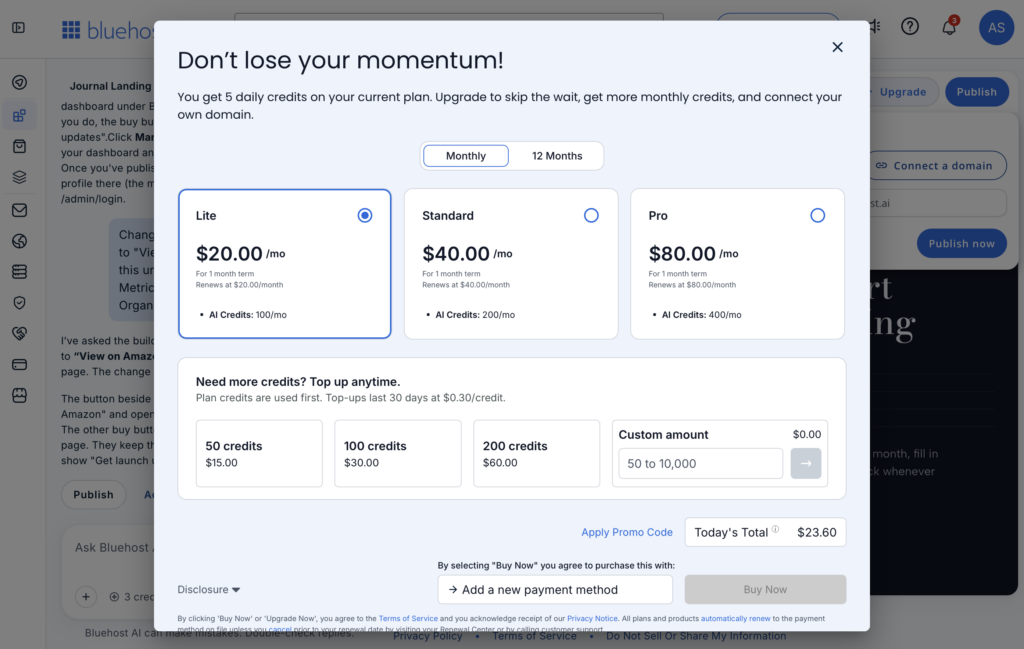
Connecting your website with your domain requires a premium subscription, which starts at $20/month. But if you don’t want to add a domain, you could still use their subdomain for free.
Publish your Book Landing Page website
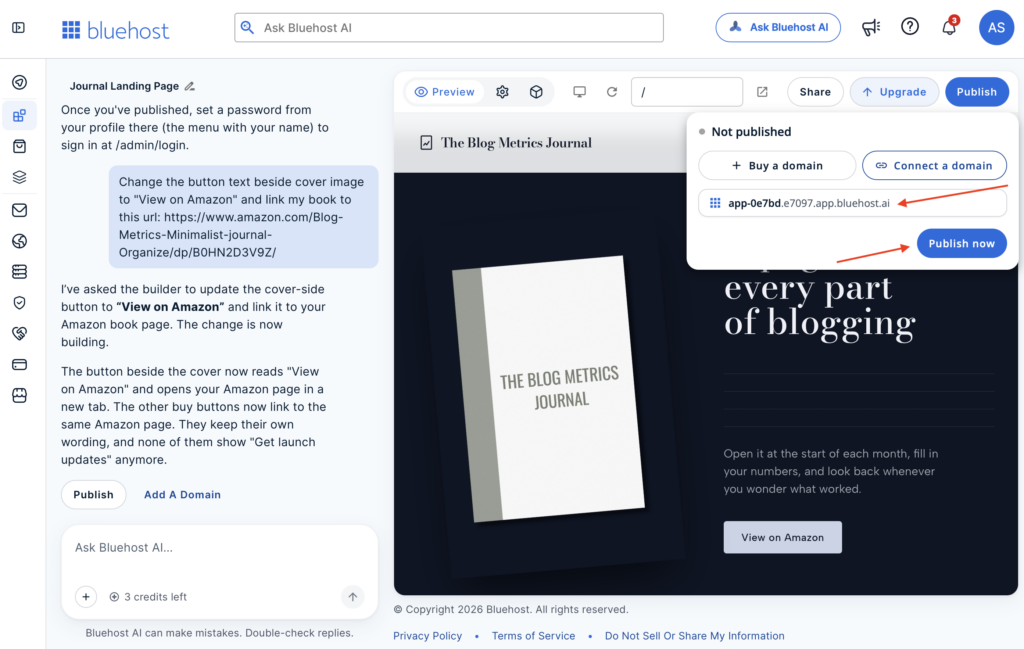
Once you’re happy with your design, you can publish your Book Landing Page website just by clicking a Publish Now button.
Final Look of the Book Landing Page Website
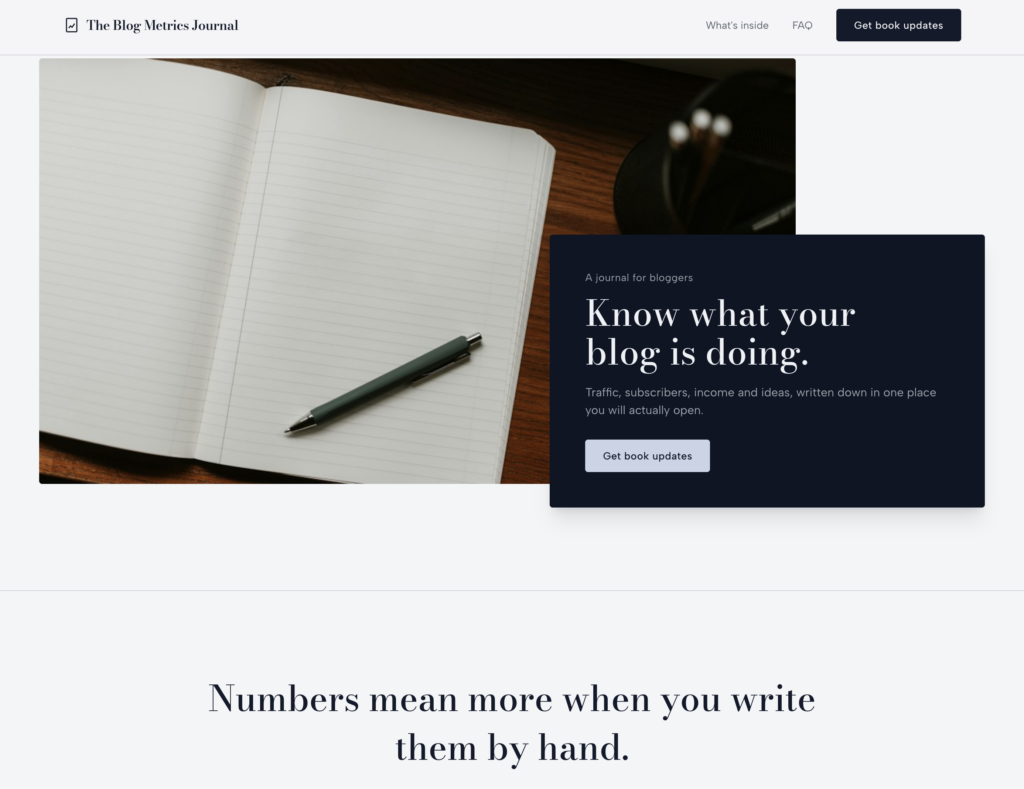
Mobile View

Here is a final look of the book landing page website built using the Bluehost AI Builder. The site is mobile-responsive and works on any phone or browser.
It took me just 10 minutes with 4 AI credits to build a whole website.
You can check out The Blog Metrics Journal demo book landing page website I just created; it’s on a subdomain since I’m using the free plan.
Pricing and Credits
The Bluehost AI Builder offers 4 plans:
AI Builder Free
You can try the free plan and get started without a credit card. You’ll get 24/7 customer support to answer your queries. You’ll get 5 a day, up to 30 a month. You could buy additional credits with add-ons without having to upgrade your plan.
You’ll also get to build and publish your website on a subdomain, but connecting a domain requires a paid plan.
AI Builder Lite
Lite plan starts at $20/mo; here you can connect your domain to your website. You also get 100 AI Credits a month.
AI Builder Standard
This plan starts at $40/mo. You’ll get everything in the Lite plan, plus double the AI Credits.
AI Builder Pro
The AI Builder Pro plan costs $80/mo. Here you’ll get everything in the Lite plan and can host several websites. Also, you get 400 AI Credits a month.
That’s it. Simple pricing structure on Bluehost AI Builder. It’s also worth noting that Monthly plan credits and top-ups expire after 30 days, so only buy the AI Credit add-ons if you intend to use them.
Nevertheless, the published website stays online even without AI Credits. Credits are only for making design changes.
Final Thoughts
The new Bluehost AI Builder replaces the old AI Website Builder for new customers. If you’re looking to sell products online, check out their AI Store to create an eCommerce website in minutes.
Above, I showed how you can easily create a book landing page using the Bluehost AI Builder with just a prompt or message. You can build any type of website by following similar steps.
FAQs
Can I build a website on Bluehost AI Builder for free?
Yes, you can build, design, and publish your website or app without a credit card.
Can I connect my domain with Bluehost AI Builder?
Yes, you can connect your domain with Bluehost AI Builder, but you need to upgrade to a premium plan.
